
 TixFin
Billing and plans
Choose your TixFin plan, understand the fee per ticket, and switch project features on or off
This page is about what you pay TixFin: your plan and the fee per paid ticket. It is separate from the money your buyers pay you, which goes through your own payment provider, and from the invoices you issue to buyers.
Where: Project → Project settings → Plan & Features Who can do this: members with Manage project
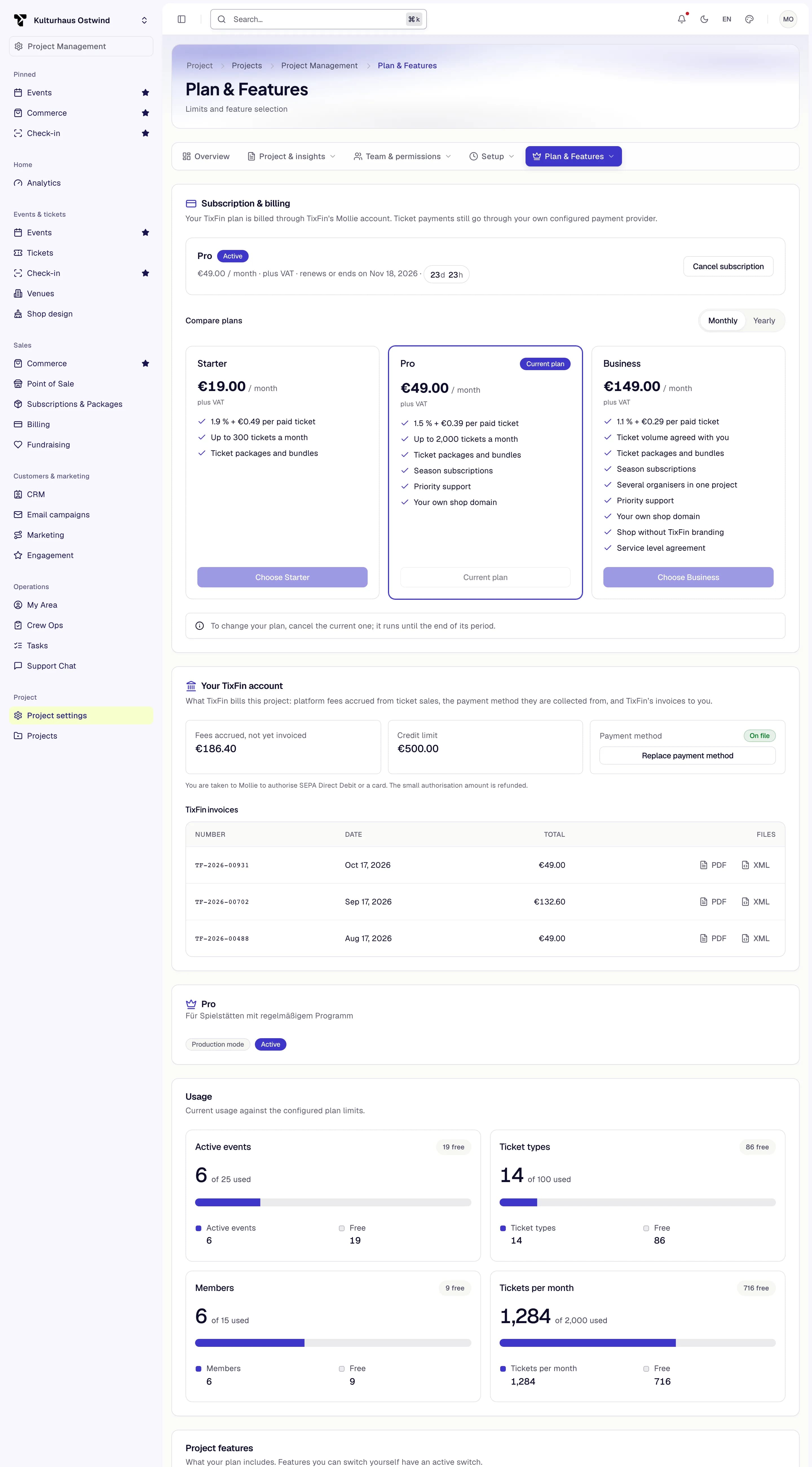
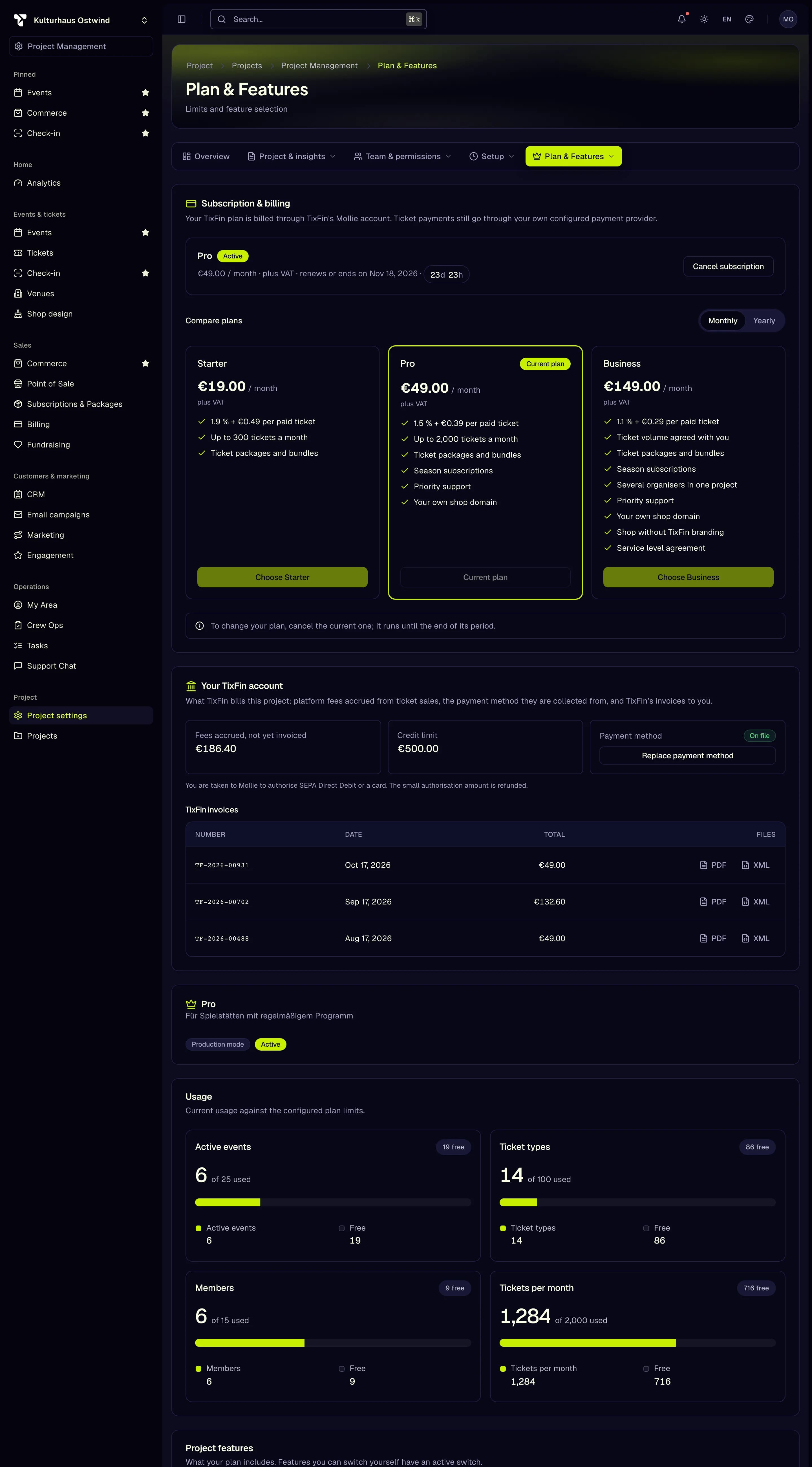
- Current plan and status
- Monthly or Yearly
- Choose a plan
- Replace payment method
- Usage
Choose or change your plan
Your plan is billed through TixFin's own Mollie account. Ticket payments still go through your own payment provider. Enterprise shows On request with Talk to us, which opens the support chat.
To change plans, cancel the current one with Cancel subscription. It stays active until the end of its period. After that the project moves to the Free plan and you can choose a new one.
Platform fees
TixFin charges you a fee per paid ticket. Buyers pay no TixFin fee. All prices are net of VAT. The plan cards on Plan & Features and tixfin.com/pricing show the current prices, fees and monthly ticket numbers.
| Plan | Adds |
|---|---|
| Free | Every selling feature except seat maps; one organiser |
| Club | Seat maps, ticket packages and bundles |
| Venue | Season subscriptions, several organisers in one project, priority support |
| Pro | Shop without TixFin branding, your own shop domain, waiting room for big on-sales |
| Enterprise | Service level agreement, on-sale support, dedicated contact, individual terms. Price, fee and ticket volume are agreed with you |
Each plan includes everything in the plan above it.
- The fee applies to paid tickets only. Free tickets owe no fee but count towards the monthly ticket number.
- Tickets above your plan's monthly number cost the Free plan's fee. Sales never stop at the limit.
- A refunded ticket owes no fee. A fee already billed is credited on the next invoice.
How TixFin bills the fees
The fee is never taken out of a sale. TixFin adds it up and charges it through its own Mollie billing:
- after each event ends, for that event's fees,
- at least once a month, for whatever is open,
- at once, when your open fees pass your credit limit (€500 unless agreed otherwise).
If a fee invoice stays unpaid after the payment retries, new paid sales pause until it is paid. Tickets already sold stay valid and free tickets can still be issued.
Your TixFin account
Below the plans, Your TixFin account shows what TixFin bills this project. Members with Manage project plan and features see the fee account, members with View billing see the invoices.
- Fees accrued, not yet invoiced, your Credit limit, and whether a Payment method is on file.
- Add payment method (or Replace payment method) opens Mollie to authorise SEPA Direct Debit or a card. The small authorisation amount is refunded. This needs a fresh second factor.
- A red notice appears while paid ticket sales are paused.
- TixFin invoices lists TixFin's invoices to you with PDF and XML (ZUGFeRD) downloads.
Switch project features on or off
Under Project features, every feature shows one of:
- Included in your plan
- Not included in your plan
- You can switch this on or off: use the switch, then Save selection.
- Switched off by TixFin
When you open a feature your plan does not include, TixFin shows "This feature is part of a higher plan" with View plans.
Reference: Plan & Features
- Plan status: Awaiting payment (with Pay now), Active, Payment overdue, Cancelled or Suspended.
- Plan cards: price plus VAT, the fee per paid ticket, the monthly ticket number and what the plan adds.
- Usage: Members, Active events, Ticket types, Tickets per month, Storage (MB) and API requests per month against your plan's limits.
- Beta projects show "Beta projects stay in testing mode and cannot sell live." Only TixFin staff take a project out of testing mode. Click Contact support to ask for it, or leave Request unlock checked on the last step of the event wizard to file the request with the new event.
Common problems
- "Subscription could not be started" or "The payment could not be opened" Try again. If it keeps failing, contact support from the support chat.
- "Online subscriptions are not available yet." Write to TixFin in the support chat. Support sets up your plan.
- "Plan unavailable" The plan could not be loaded. Click Try again or Contact support.
- "Paid sales paused" e-mail. A TixFin invoice is unpaid or a payment to TixFin was reversed. The e-mail links to your invoices and payment status. Sales resume once the invoice is settled.